Check if your phone has a gyroscope, see live sensor readings and check VR readiness, right in your browser.
Open tool

Formerly Gyroscope Game Hub
Fix gyro delay and game lag. Boost, calibrate and test your phone's motion sensors for FPS, racing and VR games, launch everything from one Game Hub, and test your controller.
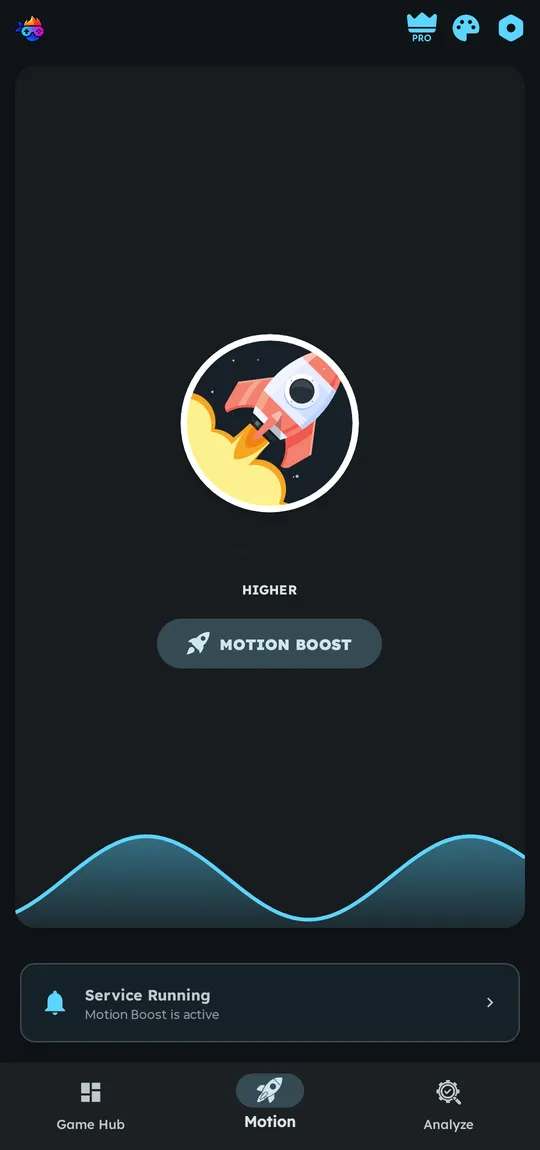
Screenshots
Features
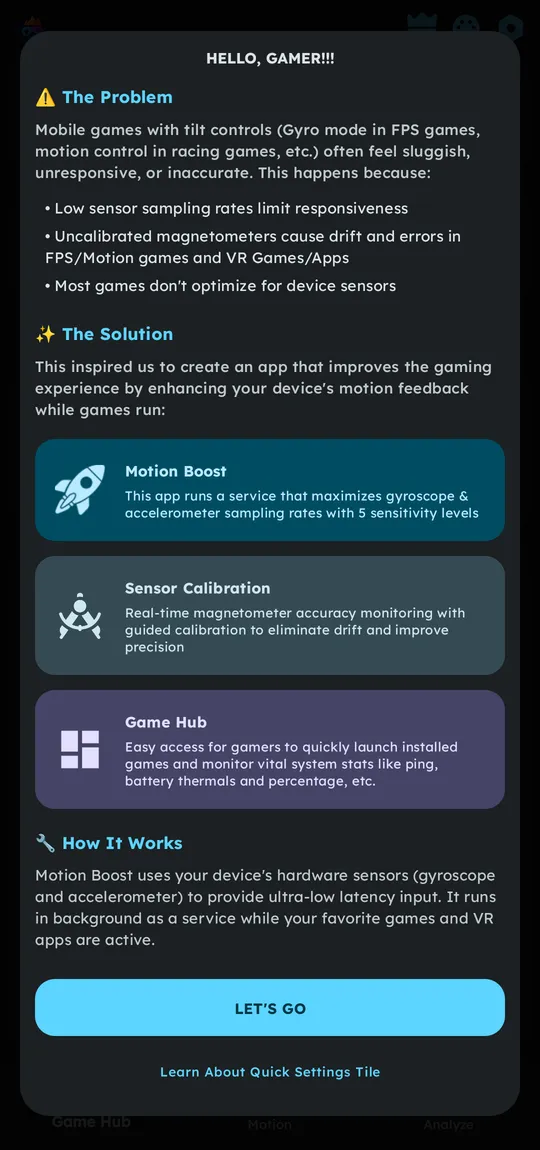
Raises the sampling rate of your gyroscope and accelerometer while you play, with 5 sensitivity levels, so tilt and gyro aim respond faster.
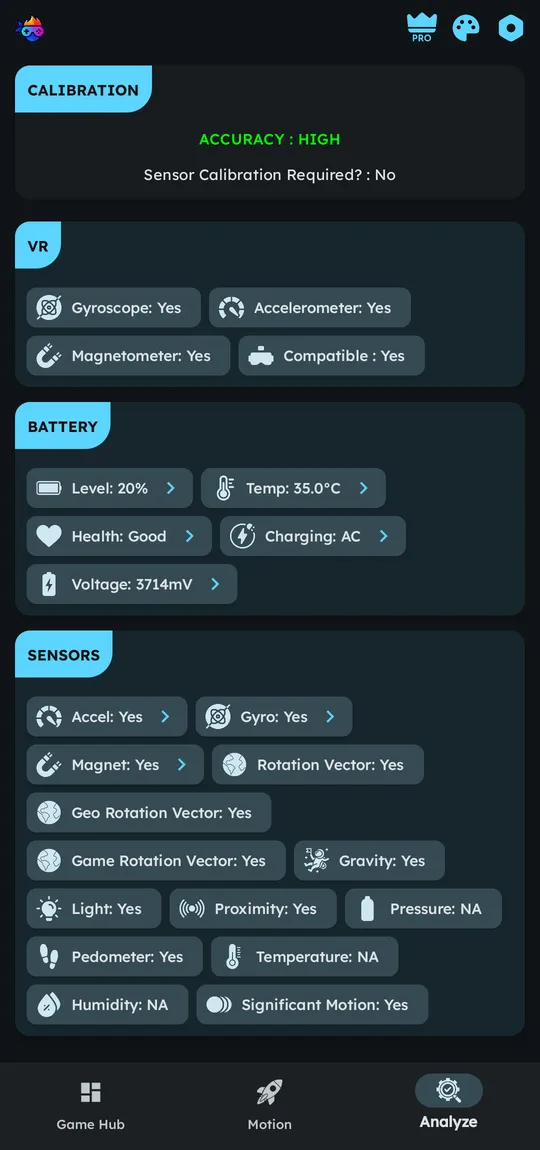
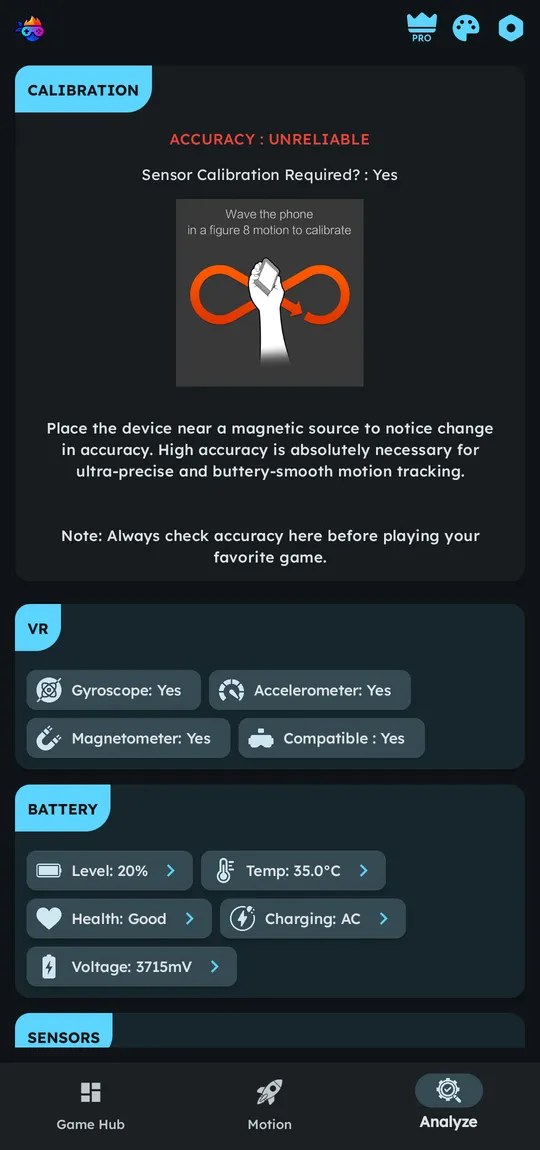
Shows live magnetometer accuracy and guides you through calibration, to stop the drift that makes gyro aim wander.
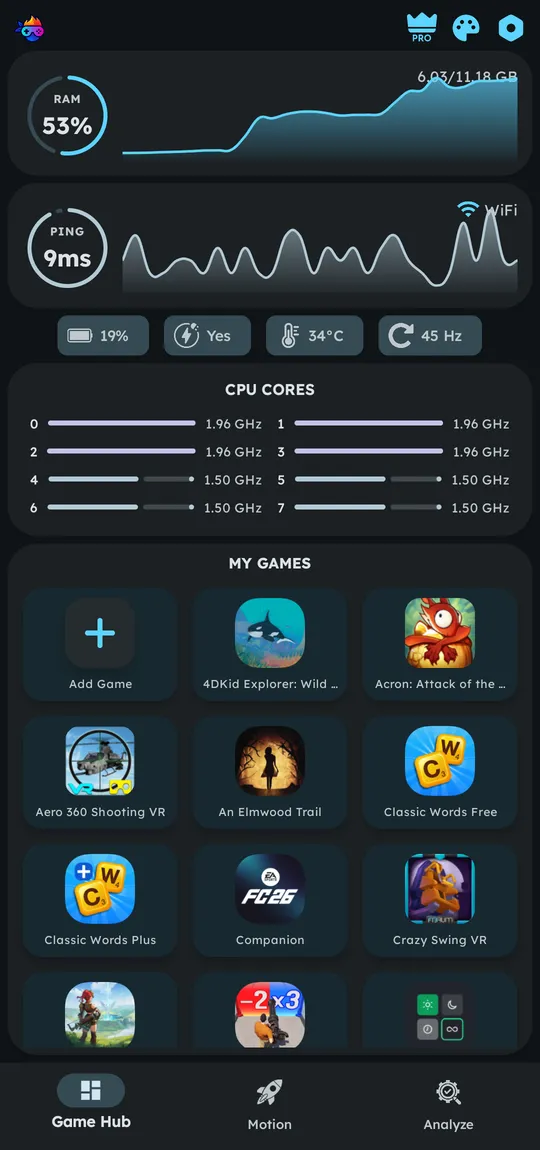
Launch all your games from one place and keep an eye on RAM and ping before you start a match.
Test gamepads, touchpads and console controllers: sticks, stick drift, triggers, buttons, rumble and motion, with a suggested dead zone.
Detailed charts for the gyroscope, accelerometer and magnetometer, plus a full list of the sensors your phone has.
See at a glance whether your phone has the sensors phone-based VR headsets need.
How it works
Open Analyze to see which sensors your phone has and whether calibration is needed.
If accuracy is low, follow the figure-8 guide away from magnets until it reads High.
Turn on Motion Boost, pick a sensitivity level and launch your game from the Game Hub.
FAQ
Nowhere. Gyroscope Game Hub was renamed to Gyroscope Test Calibrate Boost. It is the same app on the same Google Play listing, and it keeps getting updates.
It asks Android for faster updates from your gyroscope and accelerometer while games are running, so motion input reaches the game more often. There are 5 sensitivity levels; higher levels respond faster but use more battery.
Usually because the magnetometer is uncalibrated. Open the calibration screen, move away from magnets and metal, and wave the phone in a figure-8 until accuracy reads High.
Yes. The analyzer shows whether your phone has a gyroscope, accelerometer and magnetometer, and whether it is compatible with phone-based VR viewers.
The app shows exactly which sensors your phone reports. No app can add a hardware gyroscope, so check the analyzer first to see what your phone supports.
Some phones close background apps to save battery. Allow the app to run in the background; it shows you how to do this on your phone.
Yes. The app is free with ads, and an optional in-app purchase unlocks Pro.
Free on Google Play. Join 1M+ players.
Free tools & guides
Check if your phone has a gyroscope, see live sensor readings and check VR readiness, right in your browser.
Test buttons, triggers and sticks, check for stick drift and get a suggested dead zone for any controller.
Gyro aim slow, jittery or drifting? Step-by-step fixes, from calibration and game settings to sampling rate.
More from us
Tune your gyroscope for precise, lag-free control: pick sensors, set sensitivity, calibrate and watch live sensor charts.
Discover, search and launch hundreds of VR and AR games and apps for your phone, sorted into clear categories.